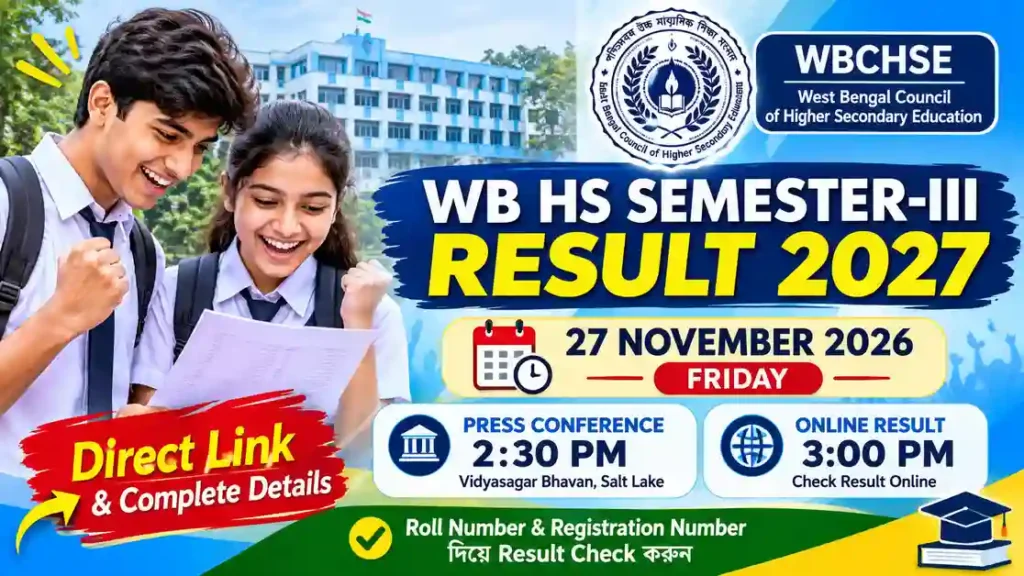
WB HS Semester 3 Result 2027: রেজাল্ট কবে প্রকাশ হবে? Direct Link ও সম্পূর্ণ তথ্য
পশ্চিমবঙ্গের উচ্চমাধ্যমিক পরীক্ষার্থীদের জন্য গুরুত্বপূর্ণ খবর। West Bengal Council of Higher Secondary Education (WBCHSE) প্রকাশিত বিজ্ঞপ্তি অনুযায়ী, ২০২৭ সালের উচ্চমাধ্যমিকের Semester-III পরীক্ষার ফল প্রকাশিত হবে ২৭ নভেম্বর ২০২৬, শুক্রবার।
বোর্ডের বিজ্ঞপ্তি অনুসারে, ওই দিন দুপুর ২:৩০ মিনিটে বিদ্যাসাগর ভবন, সল্টলেক, কলকাতায় সাংবাদিক সম্মেলনের আয়োজন করা হয়েছে। এরপর দুপুর ৩:০০টা থেকে পরীক্ষার্থীরা অনলাইনে নিজেদের ফলাফল দেখতে ও ডাউনলোড করতে পারবে।
এই প্রতিবেদনে WB HS Semester 3 Result 2027-এর প্রকাশের তারিখ, সময়, রেজাল্ট দেখার Direct Link, প্রয়োজনীয় তথ্য এবং মোবাইল অ্যাপের মাধ্যমে ফলাফল দেখার পদ্ধতি বিস্তারিতভাবে তুলে ধরা হয়েছে।
WB HS Semester 3 Result 2027: Latest Update
WB HS SEMESTER-III RESULT 2027
West Bengal Council of Higher Secondary Education
Students can view and download their results from 3:00 PM on 27 November 2026 using their Examination Roll Number and Registration Number.
WB HS Result 2027 – Quick Overview
Important Examination Information
| Examination | HS Semester-III Examination |
|---|---|
| Academic Year | 2027 |
| Result Date | 27 November 2026 |
| Day | Friday |
| Press Conference | 2:30 PM |
| Online Result Time | 3:00 PM |
| Education Board | WBCHSE |
| Result Mode | Online |
| Notification No. | L/Secy/283/2026 |
WB HS Semester 3 Result 2027
উচ্চমাধ্যমিক Semester-III পরীক্ষার ফলাফল দেখার জন্য নিচের লিঙ্কগুলি ব্যবহার করুন।
WBCHSE Result Portal
বোর্ডের বিজ্ঞপ্তিতে উল্লেখিত প্রধান ফলাফল দেখার ওয়েবসাইট।
Check HS ResultAlternative Result Websites
বিকল্প ফলাফল দেখার ওয়েবসাইটগুলি:
নোটিশে উল্লেখিত Android অ্যাপের মাধ্যমে ফলাফল দেখার সুবিধা।
ফলাফল প্রকাশের নির্ধারিত সময়ের আগে Result Link-এ ফলাফল নাও পাওয়া যেতে পারে। অনুগ্রহ করে ২৭ নভেম্বর ২০২৬ দুপুর ৩:০০টা থেকে ফলাফল দেখার চেষ্টা করুন।
How to Check WB HS Semester 3 Result 2027?
Follow these simple steps to check and download your West Bengal HS Semester-III Examination Result.
Keep your Examination Roll Number and Registration Number ready before visiting the result website.
Visit the Official Result Website
Open the official result portal of West Bengal Council of Higher Secondary Education.
OFFICIAL PORTALEnter Your Examination Roll Number
Enter your correct Examination Roll Number in the designated field on the result page.
Enter Your Registration Number
Carefully enter your Registration Number as mentioned in your examination documents.
Submit Your Details
Check the entered information and click the Submit button or the corresponding option available on the result portal.
View and Download Your Result
Your HS Semester-III Result will appear on the screen. Download and save the result for future reference.
RESULT DOWNLOADSave a digital copy of your downloaded result. Follow your institution’s instructions for collecting the official marksheet.
- Enter your Roll Number correctly.
- Check your Registration Number before submitting.
- Use the official result website whenever possible.
- If the website is busy, try again after some time.
WB HS Semester 3 Result 2027: Common Problems & Solutions
Facing problems while checking your HS result? Find simple solutions to common result-related issues.
Website traffic may increase during result publication. Follow the solutions below before trying again.
WB HS Result Website Not Opening
The official result website is not loading or showing an error.
- Wait for a few minutes and try again.
- Check your internet connection.
- Try opening the website in another browser.
- Use the alternative result portals mentioned in the official notice.
WB HS Result Showing Not Found
Your result is not appearing after entering the required details.
- Check whether your result link is available.
- Recheck your Examination Roll Number.
- Verify your Registration Number.
- Compare the details with your examination documents.
- If the issue continues, contact your school.
Incorrect Roll Number or Registration Number
The result portal does not accept your entered information.
- Carefully check every digit of your Roll Number.
- Enter the correct Registration Number.
- Avoid unnecessary spaces or typing mistakes.
- Use the information printed on your examination documents.
- Seek help from your school if the problem remains.
Unable to Download WB HS Result
Your result is visible, but you cannot save or download it.
- Check whether your internet connection is stable.
- Wait for the result page to load completely.
- Try using your browser’s Print or Save as PDF option, if available.
- Check your device storage before downloading again.
WB HS Result Link Not Active Yet
You cannot access the result even though the website is opening.
- The scheduled online result time is 3:00 PM on 27 November 2026.
- Check the official portal again after the scheduled time.
- Follow official WBCHSE updates for any changes.
If your result-related issue continues, contact your respective school authorities or refer to the official WBCHSE website for further information.
Visit Official WBCHSE Website ↗Never share your examination credentials, OTP or personal information with unknown persons or unofficial websites.
WB HS Result 2027 – Download Marksheet & Certificate
Learn how to download your online result, save a copy and collect your original marksheet from school.
The online result is for immediate information only. It cannot be treated as the original marksheet.
How to Download WB HS Result 2027?
Visit the Result Portal
Open the official WBCHSE result website after the result link becomes available.
Enter Your Examination Details
Enter your Examination Roll Number and Registration Number correctly.
View Your Result
Submit the required details to view your Semester-III result on the screen.
Download or Save the Result
Use the available download option or your browser’s Print / Save as PDF facility to keep a digital copy.
Keep a Printed Copy
If necessary, print a copy for your personal reference and future use.
Visit the WBCHSE result portal.
How to Collect Original Marksheet?
Important information for students
Students must collect their official original marksheets from their respective schools. The online result should not be considered a substitute for the original marksheet.
According to the Council’s result portal, schools can access their students’ results and the result synopsis through the designated institutional portal. Students should contact their respective schools for collection instructions.
- Check all available details in your online result.
- Keep a digital copy safely stored.
- Do not treat an online result printout as an original marksheet.
- Follow your school’s instructions for collecting official documents.
WB HS Semester 3 Result 2027 – Important Dates
উচ্চমাধ্যমিক সেমেস্টার-III ফল প্রকাশ এবং পরবর্তী শিক্ষাক্রমের গুরুত্বপূর্ণ সময়সূচি একনজরে দেখে নিন।
গুরুত্বপূর্ণ তারিখ ও সময়সূচি
| বিষয় | তারিখ ও সময় |
|---|---|
| Semester III ফল ঘোষণা | ২৭ নভেম্বর ২০২৬, দুপুর ২:৩০ |
| অনলাইনে ফল দেখা শুরু | ২৭ নভেম্বর ২০২৬, দুপুর ৩:০০ |
| Semester IV Enrolment শুরু | ২ ডিসেম্বর ২০২৬ |
| Semester III Supplementary Enrolment শুরু | ২ ডিসেম্বর ২০২৬ |
| Enrolment জমার শেষ তারিখ | ২৩ ডিসেম্বর ২০২৬ |
Semester IV ও Supplementary Enrolment
WBCHSE-এর বিজ্ঞপ্তি অনুযায়ী, Semester IV এবং Semester III Supplementary Examination-এর এনরোলমেন্ট ফর্ম এই সময়ের মধ্যে জমা দিতে হবে।
মনে রাখবেন: এনরোলমেন্টের অনলাইন প্রক্রিয়া স্কুল/প্রতিষ্ঠানের প্রধান সংসদের পোর্টালের মাধ্যমে সম্পন্ন করবেন। পরীক্ষার্থীরা নিজেদের স্কুলের সঙ্গে যোগাযোগ রাখবেন।
তথ্যসূত্র: West Bengal Council of Higher Secondary Education (WBCHSE), Notification No. L/Secy/283/2026 এবং L/Secy/282/2026, dated 19.11.2026।
Frequently Asked Questions (FAQ)
1. When will the WB HS Semester 3 Result 2027 be declared?
The WB HS Semester 3 Result 2027 will be declared on 27 November 2026 (Friday). The result will be announced at 2:30 PM, and students will be able to check their results online from 3:00 PM.
2. What is the official website to check WB HS Semester 3 Result 2027?
Students can check their results through the official West Bengal Council of Higher Secondary Education result portal:
**https://result.wb.gov.in/**
3. What details are required to check the WB HS Semester 3 Result?
Students will need the following details:
Examination Roll Number
Registration Number
These details should be entered correctly to access the result.
4. Can I check my WB HS Semester 3 Result 2027 using my name?
The official result portal requires the examination roll number and registration number. Therefore, students should keep their admit card ready rather than relying on a name-based search.
5. What should I do if the WB HS Result website is not opening?
On result day, the official website may experience heavy traffic. If the website does not open, wait for a few minutes and try again. Use a stable internet connection and avoid repeatedly refreshing the page.
6. Is the online WB HS Semester 3 Result the original marksheet?
No. The online result is published for immediate information. It should not be treated as the original marksheet. Students will receive their official marksheets from their respective schools.
7. When will students get their original HS Semester 3 marksheets?
Students should contact their respective schools for information about the distribution of original marksheets. The online result portal itself does not replace the official marksheet issued through the school.
8. What should I do if my roll number or registration number is showing an error?
First, carefully check both numbers against your admit card. If the error continues, contact your school authorities for verification and assistance.
9. When will WB HS Semester 4 Enrolment 2026 begin?
According to the WBCHSE notification, Semester IV Enrolment will begin on 2 December 2026 and continue until 23 December 2026.
10. What is the last date for WB HS Semester III Supplementary Enrolment?
The Semester III Supplementary Enrolment period is scheduled from 2 December to 23 December 2026. Students should contact their respective schools for eligibility and further instructions.
11. Who will submit the Semester IV and Supplementary Enrolment forms?
The online enrolment process will be completed by the Head of the Institution through the council’s designated portal. Students should stay in contact with their schools regarding the process.
12. Where can I get the latest updates about WB HS Semester 3 Result 2027?
Students should regularly check the official WBCHSE website and their respective schools for verified updates. They can also visit WebBhugol for result-related guidance, important announcements and educational updates.